Divi Image HoverEffekter



Vendekort
Skyv

Divi Image Hover Effects — 15 animasjoner
Gjør bildene dine til interaktive opplevelser. Divi Image Hover Effects er eninnfødt Divi 5-modulsom legger til fantastiske sveveanimasjoner og overleggsinnhold til ethvert bilde – direkte inne i Divi Visual Builder, ingen koding nødvendig.
🃏 Vendekort — innebygd
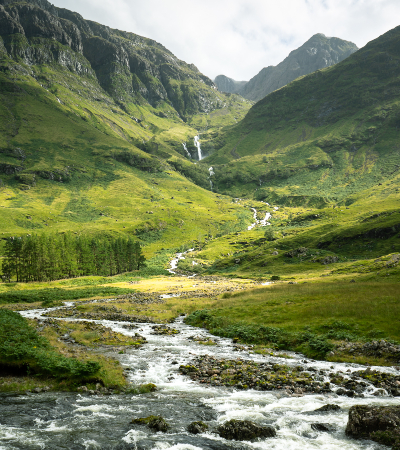
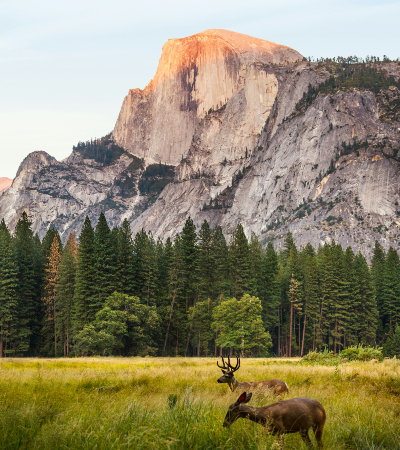
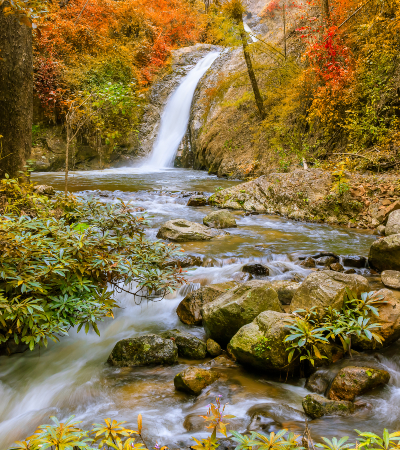
Vend horisontaltgjør bildet ditt til et sant3D flippkort: Forsiden viser bildet ditt, baksiden viser overleggsinnholdet ditt med en tilfredsstillende perspektivvending. Perfekt for teammedlemmer, porteføljedeler, produktutstillinger eller enhver situasjon der du ønsker å avsløre informasjon med effekt.
🎬 15 håndlagde sveveeffekter
- Falme— klassisk ugjennomsiktighetsavsløring med en subtil innholdsøkning
- Skyv opp / ned / venstre / høyre— retningsbestemte overleggsbilder
- Zoom inn— bildet skaleres opp etter hvert som overlegget vises
- Zoom ut— bildet begynner å zoomes, trekkes tilbake ved pekeren
- Vend horisontalt— full 3D-kortvending med perspektiv
- Uskarphet— Bildet mykner etter hvert som innholdet ditt er i sentrum
- Gråtoner— bildet avmettes ved sveving for en slående kontrast
- Skinne— et lett gjenskinn sveiper over bildet
- Sprett inn— overlegget springer inn nedenfra med elastisk energi
- Avslør Venstre → Høyre— klippebane i gardinstil
✨ Rikt overleggsinnhold
Bygg overlegget ditt visuelt, akkurat slik du vil ha det:
- Overlegg bakgrunn — ensfarget eller helgradient(startfarge, sluttfarge, retning)
- Innholdsposisjon –9 ankerpunkter(øverst til venstre, midt, nederst til høyre...)
- Ikon – velg et hvilket som helst Divi-ikon, angi farge og størrelse
- Tittel – velg HTML-taggen (H1–H6 eller P) og stil den fullstendig
- Beskrivelse — brødtekst med fullstendig typografikontroll
- Oppfordringsknapp – URL, støtte for ny fane ogkomplett Divi-knapp designpanel(bakgrunn, kantlinje, font, avstand, størrelse, boksskygge)
⚙️ Presisjonsanimasjonskontroller
Juster alt direkte i Visual Builder uten å forlate siden din:
- Animasjonfart– enhver gyldig CSS-varighet (
0.3s,500ms…) - Animasjonlettelser— Lett, lett inn, lett ut, lett inn ut, lineært
🎨 Full Divi-designtilpasning
Fordi Divi Image Hover Effects er en ekte innfødt Divi 5-modul, får du tilgang tilkomplett Divi designsystem— de samme verktøyene du bruker på annenhver modul:
- Typografikontroller for tittel, beskrivelse og knapp
- Bakgrunner, gradienter og bilder på modulen
- Kanter, boksskygger og kantradius
- Avstand (margin
- Filtre, transformasjoner og animasjoner
- Klistrete posisjonering, rulleeffekter og z-indeks
- Responsiv synlighet og tilpasset CSS per bruddpunkt
Alt du forventer av en Divi-modul – rett ut av esken.
🔍 Forhåndsvisning av True Visual Builder
Overlegget er alltid synlig på lerretet slik at du kan redigere innholdet komfortabelt. Aktiversvevemodusi Design-panelet for å forhåndsvise svevestilene dine – farger, overganger og flip-animasjoner – akkurat slik de besøkende vil se dem.
♿ Ytelse
- Bilder bruker nativelat lastingfor høye sidehastigheter
- Animasjoner automatiskdeaktiver for brukere som foretrekker redusert bevegelse(
prefers-reduced-motion) - GPU-akselererte overganger for silkemyk 60fps-gjengivelse
📋 Krav
- Divi 5 (ikke kompatibel med Divi 4)
- WordPress 6.0
- PHP 7.4